AOVIS Pulse Logo
Open navigation menu
AOVIS Pulse for macOS

One dashboard for
Codex quota and local AI coding activity

AOVIS Pulse gives you a focused macOS dashboard for official Codex quota windows, local Codex activity, and observed Claude Code activity on this Mac.

Official

Codex 5-hour and 7-day windows for the currently signed-in Codex CLI account.

Observed

Local Codex and Claude Code activity visible on this Mac, kept separate from provider quota.

Status Bar

Quick-glance numbers stay visible while the full dashboard is there when you need detail.

AOVIS Pulse Codex dashboard screenshot

Refresh Rhythm

Foreground every 30s. Background every 3m. Manual refresh always available.

Why Pulse

The usage view that stays inside the product boundary.

AOVIS Pulse is built for developers who want visibility without inflated claims. It separates official quota from local observation and keeps each number labeled for what it actually means.

Codex Coverage

See official quota windows for the active Codex CLI account on this Mac, alongside local raw Codex activity and overall local trend.

Claude Scope

Claude is shown as observed Claude Code activity on this Mac only. It is not presented as a full account-wide total.

Local-First

The app uses App Sandbox, reads local folders only after explicit user permission, and avoids uploading local activity logs.

Review Mode

A bundled sample snapshot keeps the interface reviewable and demo-friendly even on a clean Mac with no local CLI data.

Core Features

Built for a faster daily loop.

Pulse keeps the important signals visible without turning your menu bar into a science project.

Official Codex Quota

Watch Codex 5-hour and 7-day windows from the current signed-in account instead of repeatedly checking CLI status commands.

Local Activity Trends

Review local raw tokens, recent sessions, and trend windows observed on this Mac for Codex and Claude Code.

Status Bar Companion

Keep key numbers visible while you work, then open the full dashboard when you need more context.

Manual and Auto Refresh

Foreground refresh runs every 30 seconds, background refresh every 3 minutes, and manual refresh stays available for quick verification.

Screenshots

Real app views, not concept mockups.

These sections are arranged around the current app UI: the main Codex dashboard, the Claude observed view, settings, and account details. The goal is to show what the real app looks like when someone actually opens it.

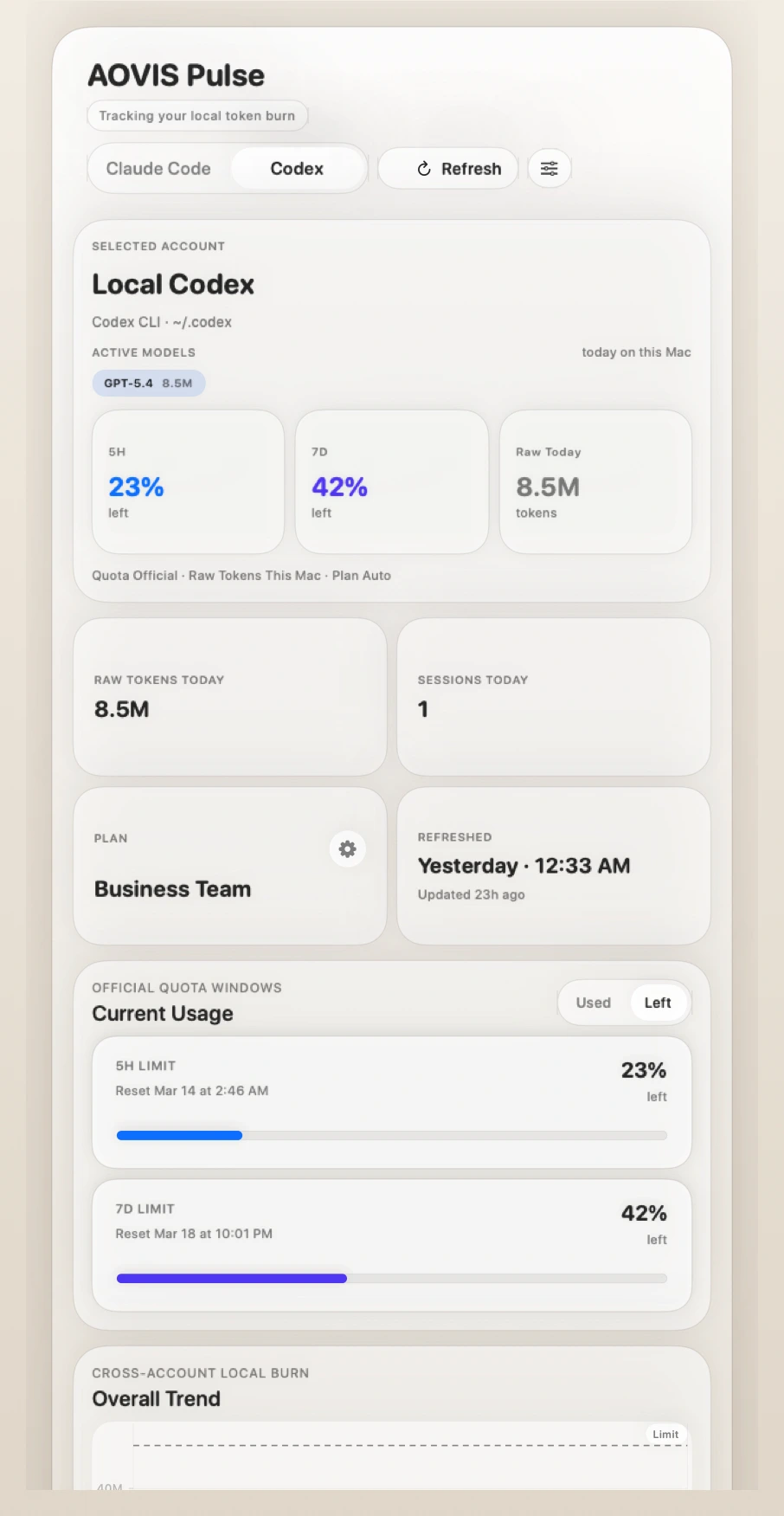
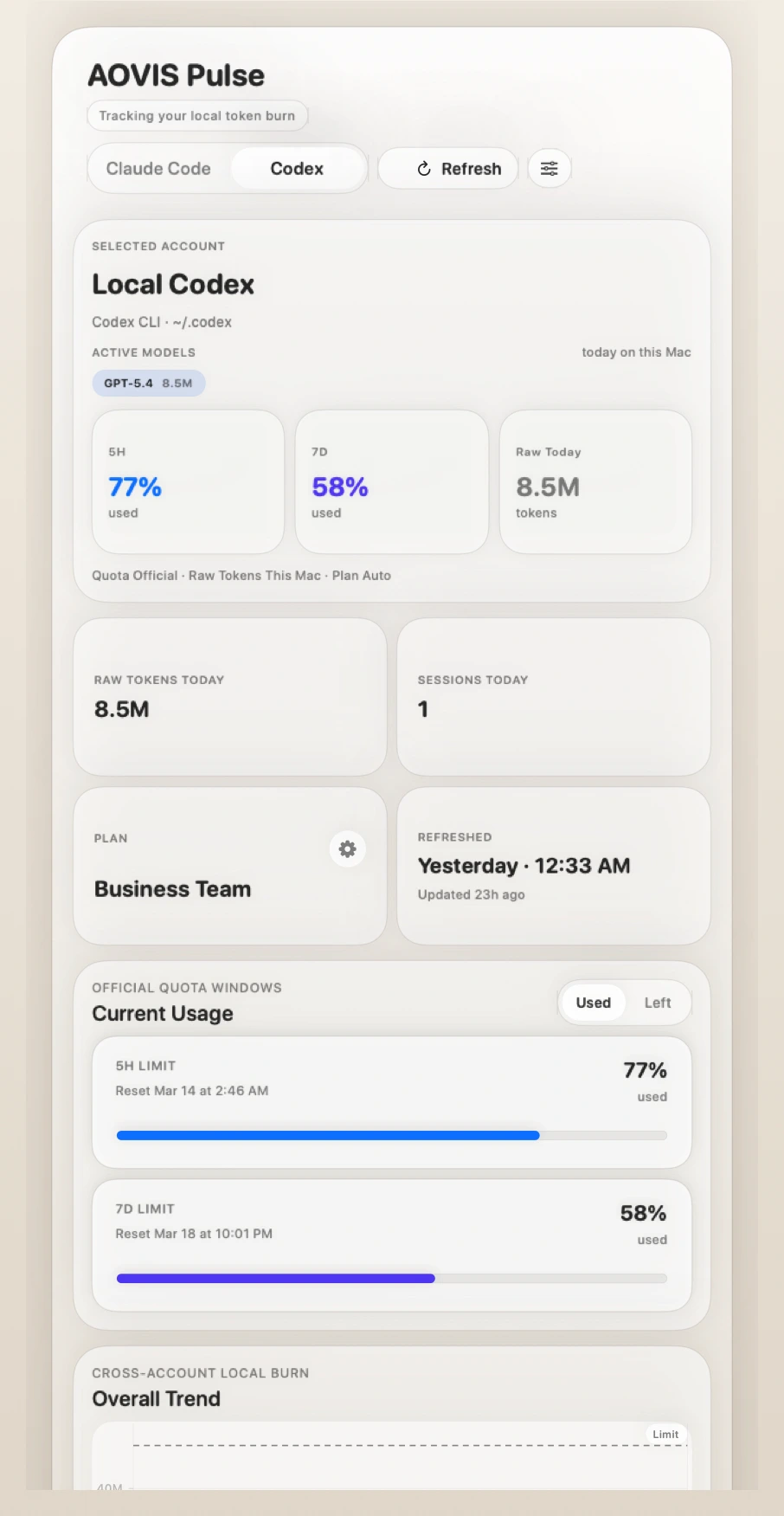
AOVIS Pulse Codex dashboard

Codex Dashboard

The default dashboard stays centered on Codex quota.

The Codex view shows official 5-hour and 7-day windows, raw local token burn on this Mac, refresh timing, and recent local activity. It is the clearest view of how close the current Codex account is to its official limit windows.
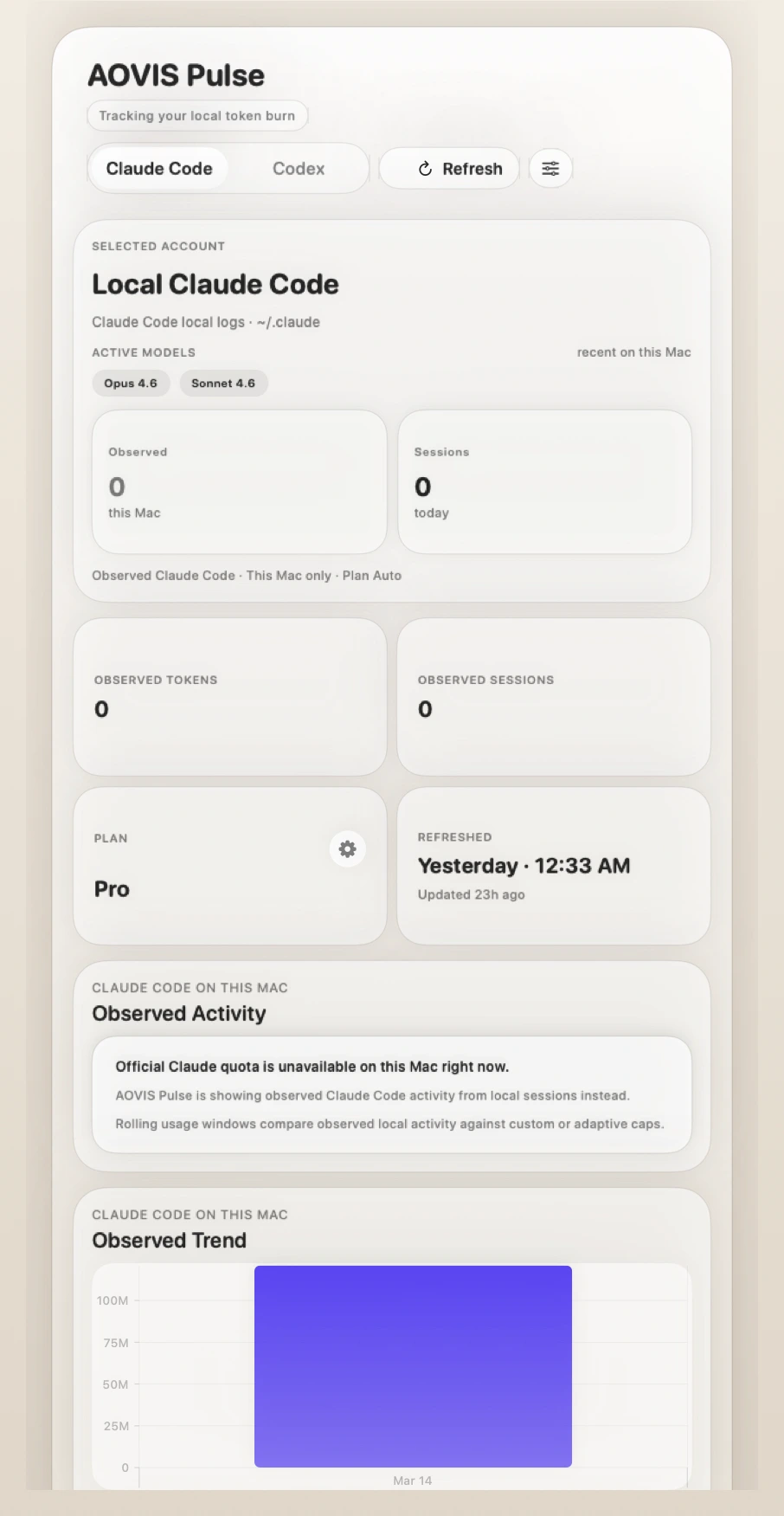
AOVIS Pulse Claude observed dashboard

Claude Observed View

Claude is shown as local observation on this Mac.

The Claude view keeps the language narrow on purpose. It shows observed Claude Code sessions, models, trend windows, and recent local activity on this Mac. It does not claim to be an account-wide Claude total.

AOVIS Pulse settings screenshot

Settings

Settings stay operational instead of decorative.

Fallback behavior, review mode, and Codex alert thresholds are all configured directly in-app. The Save and Cancel actions close the settings window so changes feel like a normal Mac workflow instead of a modal dead-end.

AOVIS Pulse account details screenshot

Account Details

The app explains where the numbers come from.

Account details expose detected plan tier, source paths, credential source, freshness, and quota mode so users can see why a number exists instead of treating every token metric as equally authoritative.

Signal Design

Quota and observed tokens are not treated as the same metric.

Codex official quota answers how close you are to provider-defined limit windows.

Local observed tokens answer how much developer-tool activity this Mac could directly see.

That separation is deliberate. Pulse does not merge normal ChatGPT usage into Codex, and it does not present local observations as provider totals.

Known Limits

During active usage, Pulse can differ slightly from live Codex /status because the app reads the newest persisted official snapshot on disk.

Claude values are intentionally scoped to locally observable Claude Code activity on this Mac. They are not account-wide Claude totals.

Those limits are surfaced in product wording instead of hidden behind a generic “all usage” claim.

How It Works

Folder access is explicit, and the app tells you what it is reading.

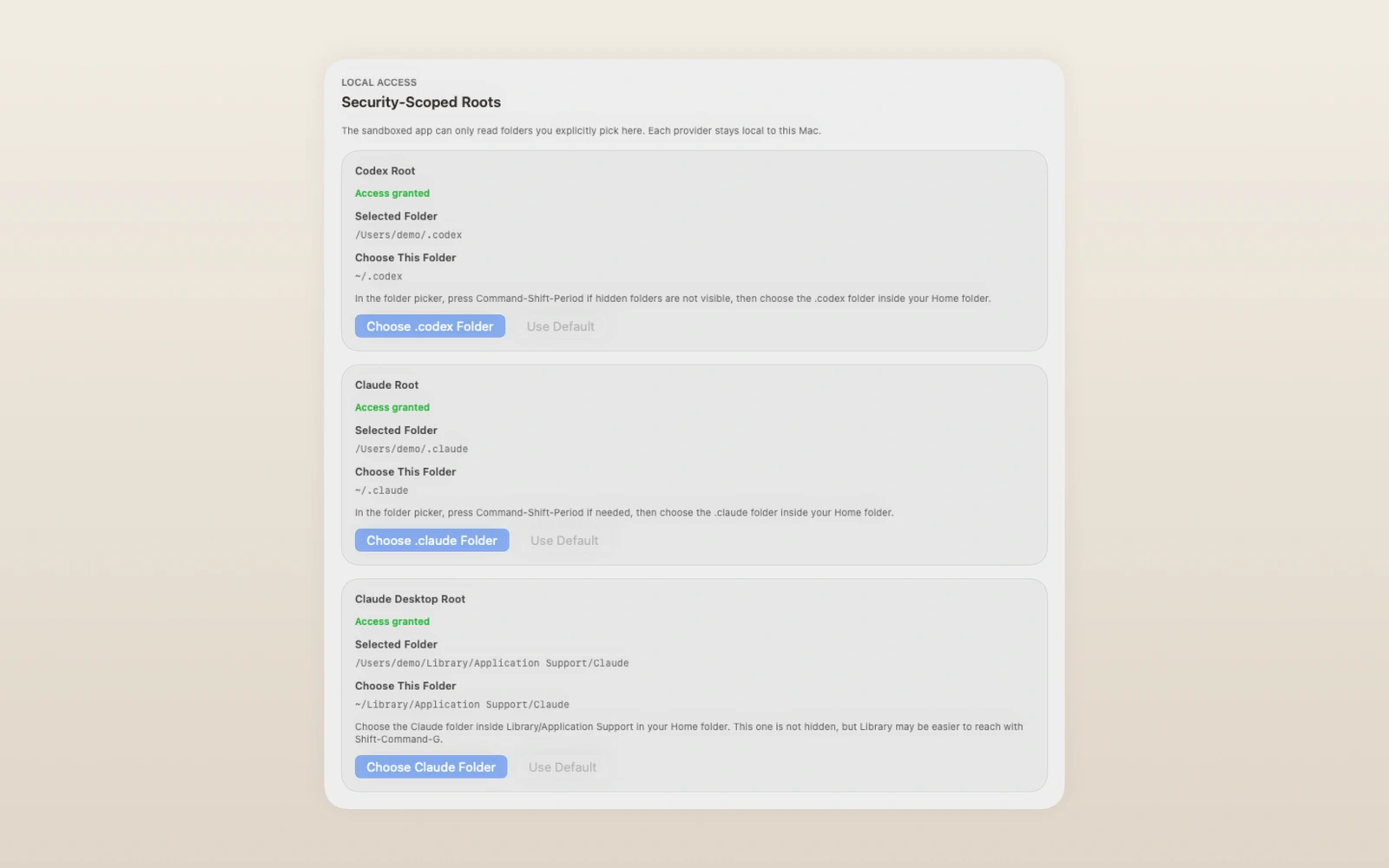
Pulse runs inside the macOS App Sandbox and asks you to pick only the folders it needs, such as ~/.codex, ~/.claude, and the Claude desktop support folder.

That keeps local logs on-device while still allowing the app to build a reliable view of local activity and trends.

When those folders are unavailable, Review Mode can keep the interface usable with bundled sample data instead of pretending to have live local metrics.

AOVIS Pulse Claude dashboard trend and activity

Observed Activity

On the Claude side, Pulse keeps “observed” front and center, including recent activity and trend blocks, so the UI itself reinforces that these are local observations on this Mac.

AOVIS Pulse freshness and source details

Source Transparency

The details view makes quota source, token source, freshness, and local path provenance inspectable, which is important when the product explicitly separates official quota from locally observed burn.

Download

Get AOVIS Pulse for macOS.

Use the download request link below to get the current access path. When the public store listing is ready, this call-to-action can be swapped to the Mac App Store URL.

Platform

macOS dashboard app with status bar companion.

Privacy

Local-first design. Read-only access to user-selected folders. No upload of local activity logs.